Creating a Smart Grocery List in Omnifocus

Last week, I added an Amazon Echo to my slowly-growing collection of home automation devices. The recently added Spotify integration is what sold me, but within a few days, Alexa, unexpectedly, made herself known as the missing link in how I collect my grocery shopping routine. I’ve written about my set up before, but it’s evolved since then especially with the addition of Alexa in my kitchen.

**Disclaimer: References to products on this page may contain affiliate links.**

To start, it’s probably best to share a few basic tidbits of my routine:

  1. I tend to make 1 weekly trip to the grocery store (typically Aldi).
  2. Paprika is my recipe manager of choice. Two years ago, I was keeping a messy collection of recipes on Pinterest, which I later found out consisted of mostly dead links. Now all of my recipes get saved to Paprika for safe keeping and are meticulously organized based on meal type and whether or not I’ve made them before. I also only save things I’d truly want to make, so no more 30 unprounceable-ingredient, 25+-step recipes.

    Paprika OS X

    Paprika for Mac

  3. Omnifocus is where my grocery list lives along with all of my other tasks. I’ve tried keeping a separate list, but I really prefer having my lists in as few places as possible.
  4. Both Paprika and Omnifocus are available on Mac and iOS meaning the majority of my workflow can be used anywhere.

Getting Things on to the Grocery List

  • Things I buy regularly on a predictable schedule – These are set up as recurring tasks in Omnifocus based on how often I buy them – the”defer another” option, if you’re curious.
  • Things I need for a particular recipe – One of Paprika‘s best features is it’s ability to make grocery lists. It even combines quantities if multiple recipes call for the same item. While you can use the Paprika app to manage your list entirely, I prefer Omnifocus. Thankfully, Paprika also has the ability to export their grocery list to Reminders. I know I said I prefer Omnifocus, but stay with me here. Omnifocus can capture tasks sent to Reminders. With that you can essentially export from Paprika to Omnifocus.
  • Things I want or don’t necessarily buy on a predicable schedule. Not everything in my kitchen is part of a recipe or something I buy regularly – sale items, less used staples, etc. I could just manually add these things to Omnifocus, and when I’m out of the house that’s what I do, but when I’m at home the Amazon Echo makes things crazy easy. I set up an IFTTT recipe so that any time something is added to my Echo shopping list, it gets added to Reminders. Again, Omnifocus is set to capture anything sent to Reminders. The result, whenever I run out of something that’s not a regular buy or I think of something I’d like to buy and I happen to be home, I simply say “Alexa, add <item> to my shopping list.”

Items added either via Paprika or the Echo are added to the inbox in Omnifocus where I process them with the rest of my tasks. Once processed, they get added to my Shopping List single actions list. Anything I need to buy gets added to this list with the “Shopping” context. If they happen to be grocery-related, they get added to a special “Shopping: Grocery” sub-context. That used to be where the filtering stopped, but the lack of organization left me scrambling around the store. (If any of you are familiar with Aldi, you’ll know it’s set up much like an IKEA where you’re supposed to go in one direction.) To account for this, I recently added sub-sub-contexts to further sort my list. Since I always shop at the same store, my Grocery sub-contexts are set up to match the layout of the store. Aldi happens to be a small store so this ends up being about 6 sub-contexts.

Getting to the Grocery Store

When I arrive at the store, Launch Center Pro prompts me to open my Grocery Store perspective. Any items with a Grocery or Grocery sub-context appear sorted by context. The result: A grocery list sorted by aisle.
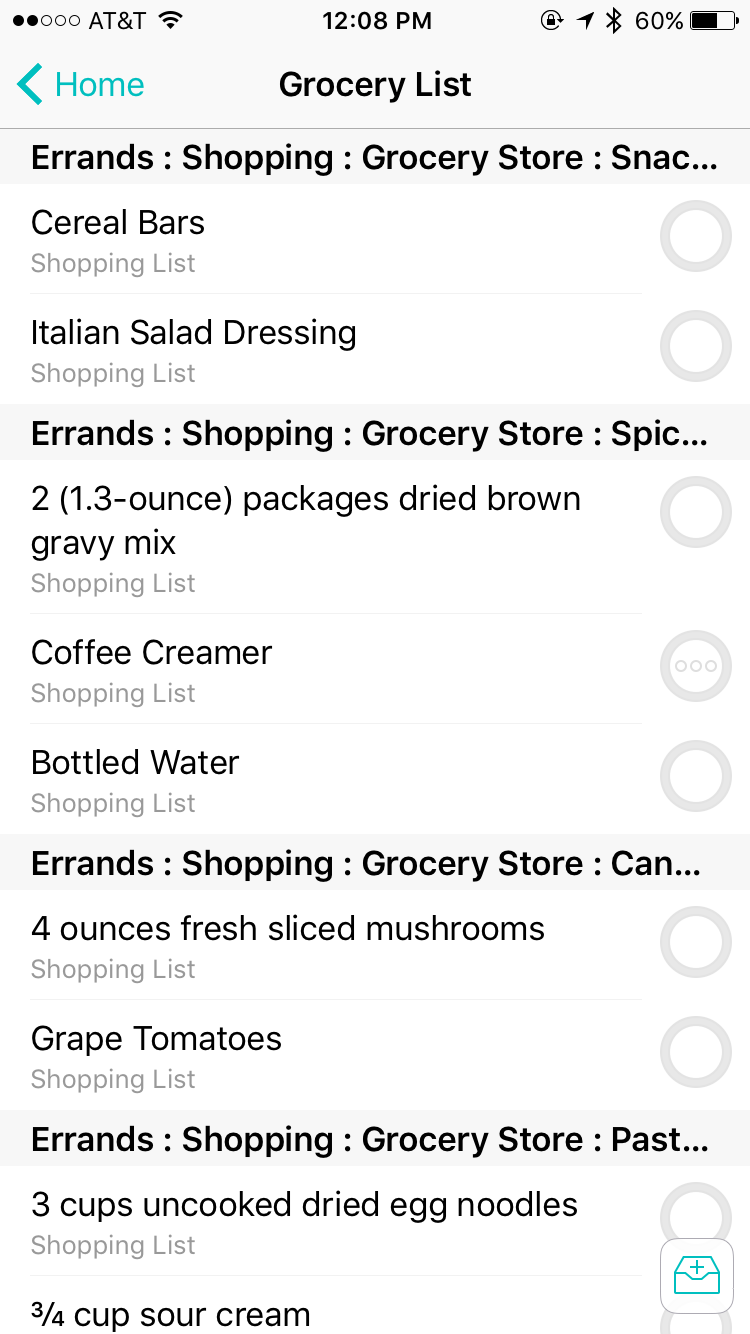
 

Grocery List Perspective on iPhone

Grocery Perspective in Omnifocus for iOS


*Other people have suggested using recurring projects to sort your grocery list. I decided to go with contexts because it allows me to add one-off items along with my recurring items each week. If using recurring projects, those one-off items would also end up as recurring items which required an extra step of removing them from the next week.

Shop Amazon Echo – Always Ready, Connected, and Fast. Just Ask

General Life Update

Apparently I haven’t updated this blog since March. Whoops. My life has been a whirlwind of fun and chaos for the past few months.

Work on the condo has pretty much ground to a halt, and I walk through the place and see nothing but unfinished projects which is a bit depressing at this point. My kitchen and master bathroom are still sorely lacking cabinets. Artwork is sitting in various rooms waiting to be hung, and my guest bedroom has become the “stuff I don’t need” room. It’s gotten to the point I rarely open the door just to spare myself the sight of the mess residing inside. BUT… I did manage to replace my HVAC system, so at the very least, my Nest thermostat is back up on the wall, and I will have heat this winter. It’s also one very costly thing crossed off the list of major projects to tackle.

So what’s been taking up my time (aside from a small bit of laziness)? Graduate school has been kicking my butt for the past two months. Every semester I consider taking two courses, only to end up taking a course with a new professor who’s not privy to the typical workload. This semester is no exception, and ominous deadlines for massive group projects are looming over me for the foreseeable future.

I can really only blame class for the last two months though, because I have a more fun excuse – a pretty awesome guy that’s turned the last 5 months of my life into quite the adventure. I was pretty content with my independence, so I’m still shocked each day that he managed to get me to agree to a relationship, more surprised I haven’t run away yet. Then again, the many beach trips, concerts, and other fun things have left me feeling pretty darn spoiled. Plus, after years of rocky relationships plagued by constant fighting, I’m enjoying the fact that we haven’t managed to annoy one another yet despite spending pretty much every day together.

My main goal in writing this post wasn’t to update any readers I still have about my life though. This past week has made me realize I’m approaching my breaking point. As much as I love the spontaneity in my life right now, I’m desperately craving some sort of routine to get my life back in order. The rushing home from work to quickly change clothes before heading out again, the frantic 5 minute cleaning sessions during rare moments of free time, and the lack of sleep has gotten old, not to mention it’s downright unhealthy.

Of course, my first step in getting back on track is revamping Omnifocus. When it comes to life outside of school and work, I’ve pared down my list of fussy projects, instead opting to break repeating tasks down by frequency (e.g. daily, weekly, monthly, etc.) I still have a general personal tasks list for one off tasks, and some things still projects (like reorganizing my closet). I don’t think that’s going to change, but I’m finding that I like being able to see tasks broken down by how often they occur much more than how they were laid out before.

I’ve also modified my custom perspectives a bit – eliminating the @Work and @Home all together. Instead, I have one single Today context which shows any Flagged or Due, Available tasks grouped by Project and sorted by Context. Each morning, I go into my Available perspective and flag anything I intend to do, so by the time I get to my Today perspective, I have a nice list of routine tasks broken down by frequency (much like a daily or weekly routine checklist) with anything that’s due or part of a particular project listed as well. My last part of the puzzle is trying to schedule reminders for myself using the Reminders app in iOS just as an added push to get things done.

Here’s to getting back on track, but for now I’m off to the grocery store before heading off to the boyfriend’s house. *Sigh* Old habits are hard to break.

Andrea


{March Topic: Meal Planning} My Routine

Since moving out on my own, I’m pretty surprised to admit that the most challenging thing I’ve had to deal with has been shopping for food. I finally feel like I’m about 80% there in terms of figuring things out, but some weeks are inevitably better than others. I thought I’d share my “fun” journey as it might help some others that live alone.

When I moved out, I was offered the opportunity to “shop” the shelves at my mom’s house before I bought anything. {Another perk of having family members with hoarding tendencies} I didn’t really have any sort of plan though. Long story short, after a trip to her house and the grocery store and many trips from my car to the kitchen, I realized I’d ended up with a whole lot of condiments, coffee, snacks, and things for lunch, but not much for any other meal. It was pretty comical. A friend even stopped by and asked “Wait, you already went shopping? Where’s the food?!”

The next week, I planned to rectify my lack of any actual food, so I picked out two recipes to make for dinner that week figuring that each one typically lasted my mom and I a couple days. Again, I came back with bags of food, but I had a plan so I was set. It wasn’t until I started cooking that I realized one recipe called for a 1/2 can of soup. I ended up doubling the recipe to use the whole can which ended making it enough food for the week. I never did end up making the other recipe, and a lot of the ingredients went bad. Fail on my part for not checking the recipe in the first place.

One way or another this went on for weeks. Buying too much food, spending too much money, forgetting to cook something before it went bad, and then having a fridge full of food I was stuck with until trash day. A lot of it has been learning what doesn’t make sense to buy, e.g. an entire gallon of milk for 1 recipe and I don’t drink milk. I’d like to think those days are past me, but having a plan has made a big difference in both having a kitchen with actual food and my wallet.

At some point during the weekend, I open up my recipe manager, Paprika, to find a recipe for the next week. As a creature of habit, I’ve grown used to eating one thing for a few days, so one recipe actually works. Another perk to this is I typically only have to really cook once during the week. Lately, I’ve been picking a lot of casseroles because they’re easy enough to make and reheat well. If for some reason I can’t find something I want to make in Paprika, I turn to Pinterest.

Once I’ve picked out a recipe, I add it to Paprika’s Meal Planner just so I can keep track of what I’m making each week, and add any ingredients I’m missing to my Shopping List project in Omnifocus. Paprika actually has it’s own grocery list feature, but I’ve found I prefer Omnifocus because I can set the items I buy frequently to recur every week or every other week. I also like having my lists in one place. I have a “Grocery List” perspective in Omnifocus to show any items with the “Shopping: Grocery Store” context. It’s also a “starred” perspective on my phone, so it’s 1 tap away once I open up Omnifocus when I’m out shopping.

I try to do my grocery shopping on Monday after work partly to save some gas, but mainly because I found myself putting off weekend trips in favor of lounging around the house in pajamas. I try to do most of my shopping at Aldi, but if for some reason, they don’t have somthing, I can save it for a trip to another grocery store or add it onto an order from Amazon. I generally try to keep to my list, but truthfully, Aldi’s prices are low enough on most things that if I throw in a few extra things, I’ll still stay under budget for the month. Another perk of Aldi is that you bring your own bags. One week of groceries fits in 1-2 bags for me, so I’ve eliminated the back and forth trips from car to kitchen.

Monday night is also typically my cooking day. Once I get home, I grab my iPad or computer and open up Paprika to the recipe I’m making. I like to listen to podcasts while cooking too, and while I’m in the kitchen, waiting for my food to cook, I’ll prep my lunches for the week. Doing all the cooking and prep {and cleaning} on one day means the rest of the week is fairly simple. Whatever I made typically lasts me most of the week, which means after work, I just have to pop some left overs in the microwave. By the time the week starts wrapping up and I’ve likely run out of the meal I made, I tend to make something simple from the freezer like a pizza or order carryout from my local Chinese restaurant as a treat for the weekend.

The last step in my meal planning routine takes me back to Paprika. Before I start the process over again for the next week, I use Paprika’s built-in rating system to rate the recipe I picked. My hope is that eventually I’ll be able to use them to simply the recipe picking process down to 10-20 favorites so that I’m not constantly buying new items.

Andrea

Condo Project – Week 24

This past Saturday, IKEA held their “BYOF” (Bring Your Own Friends) event. If you’ve never attended, it’s basically a normal IKEA day with a lot more people, free breakfast and bag, and some other offers thrown in. After attending the first with my mom last year, I suppose it’s become a tradition. I, of course, took this trip as an opportunity to stock up on all the IKEA goodies I’d been wanting to grab.

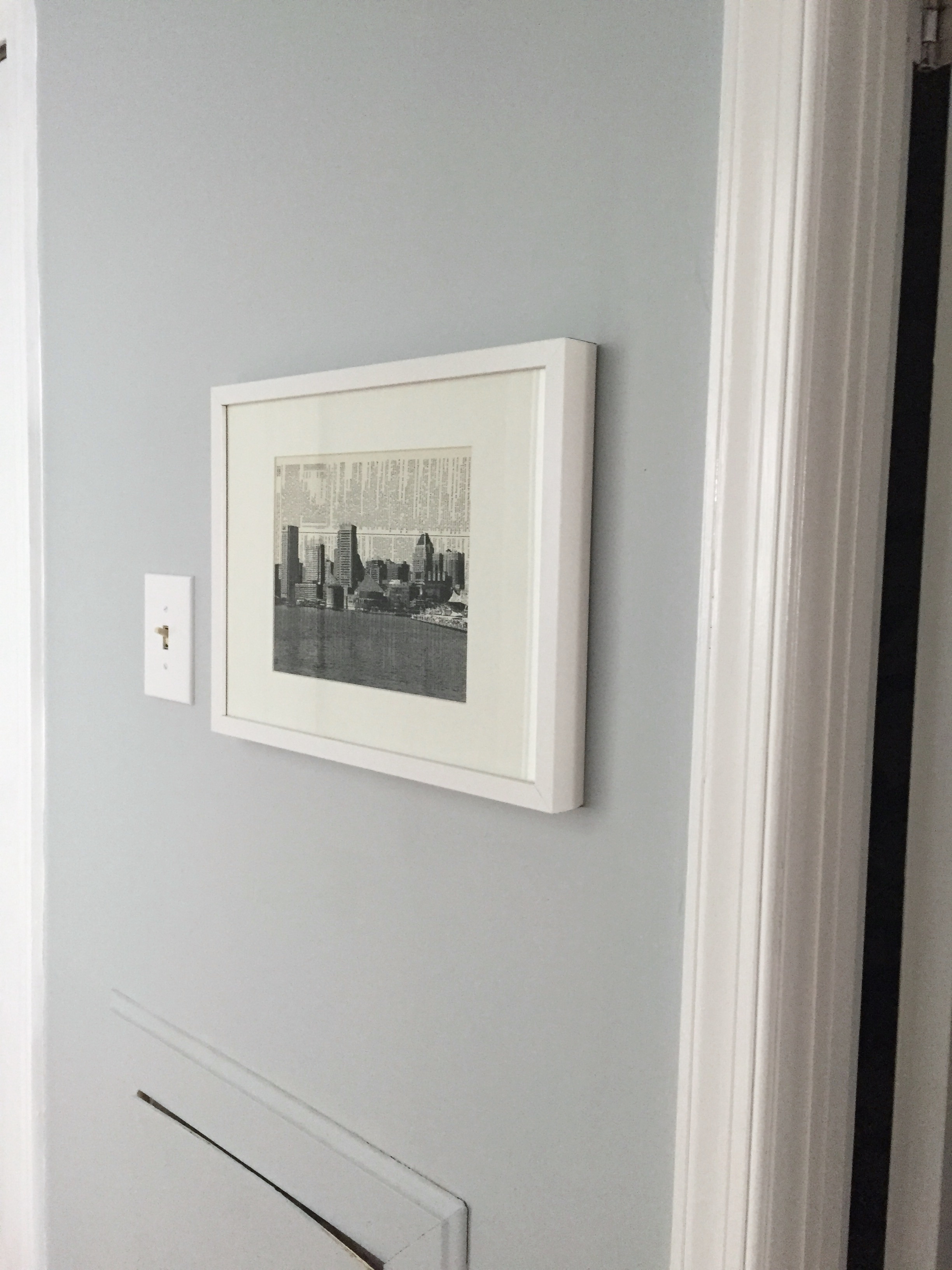
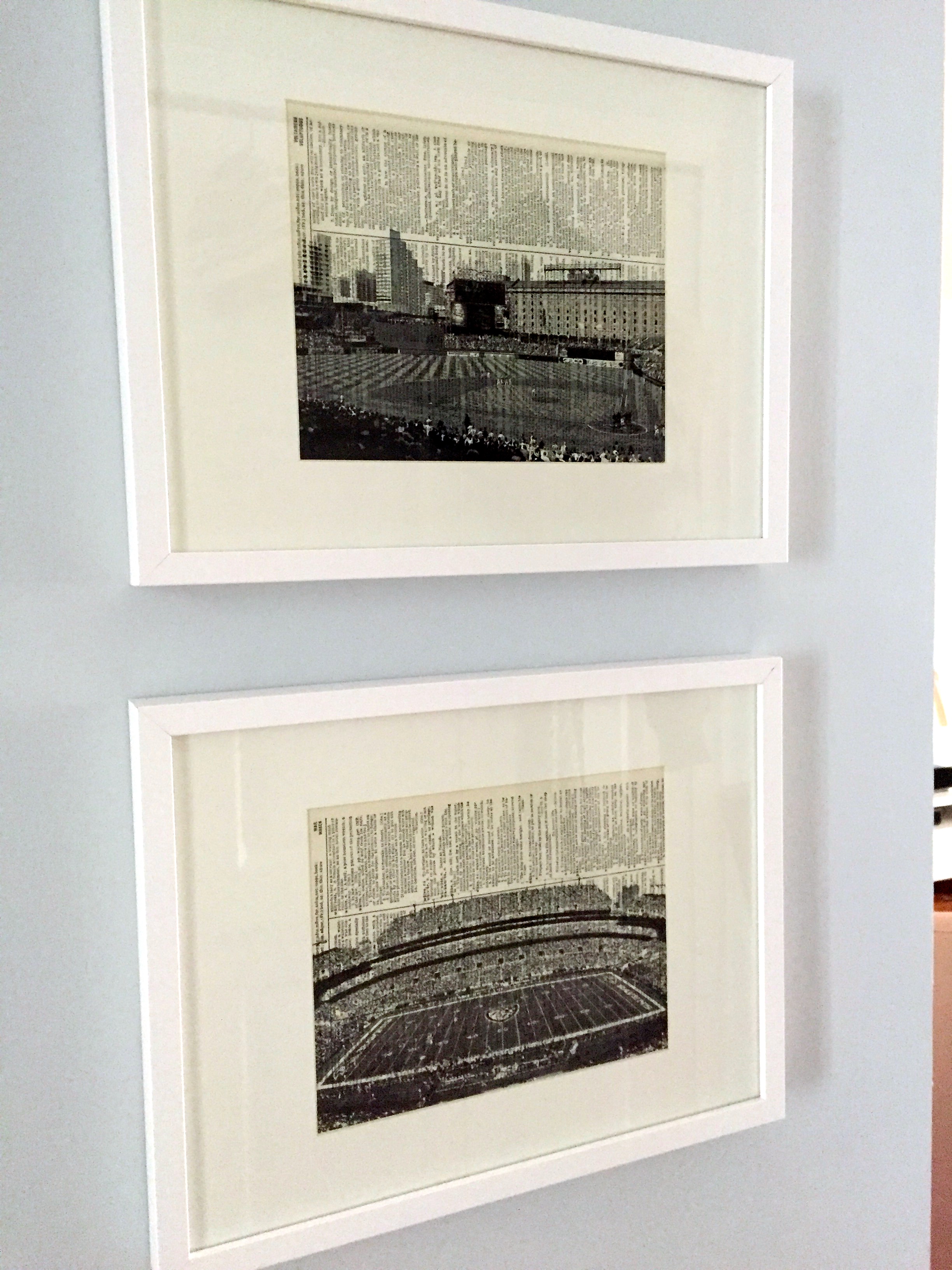
Last month, I purchased some Baltimore-themed prints from a wonderful Etsy shop, RetroBookArt. They actually had a promo to buy two get one free which made the deal even sweeter. I’ve been dying to get them up on the wall, so some simple frames were on the list. They were up on the wall within 30 minutes of coming home. They look fantastic, and certainly brighten up the hallway much more than I was expecting. (Side note: Ignore the access panel popping out of the wall. I’m still very much living in a fixer upper. The access panel is merely propped there to keep the cats from going into the walls.)

IMG_3891
IMG_3893 2

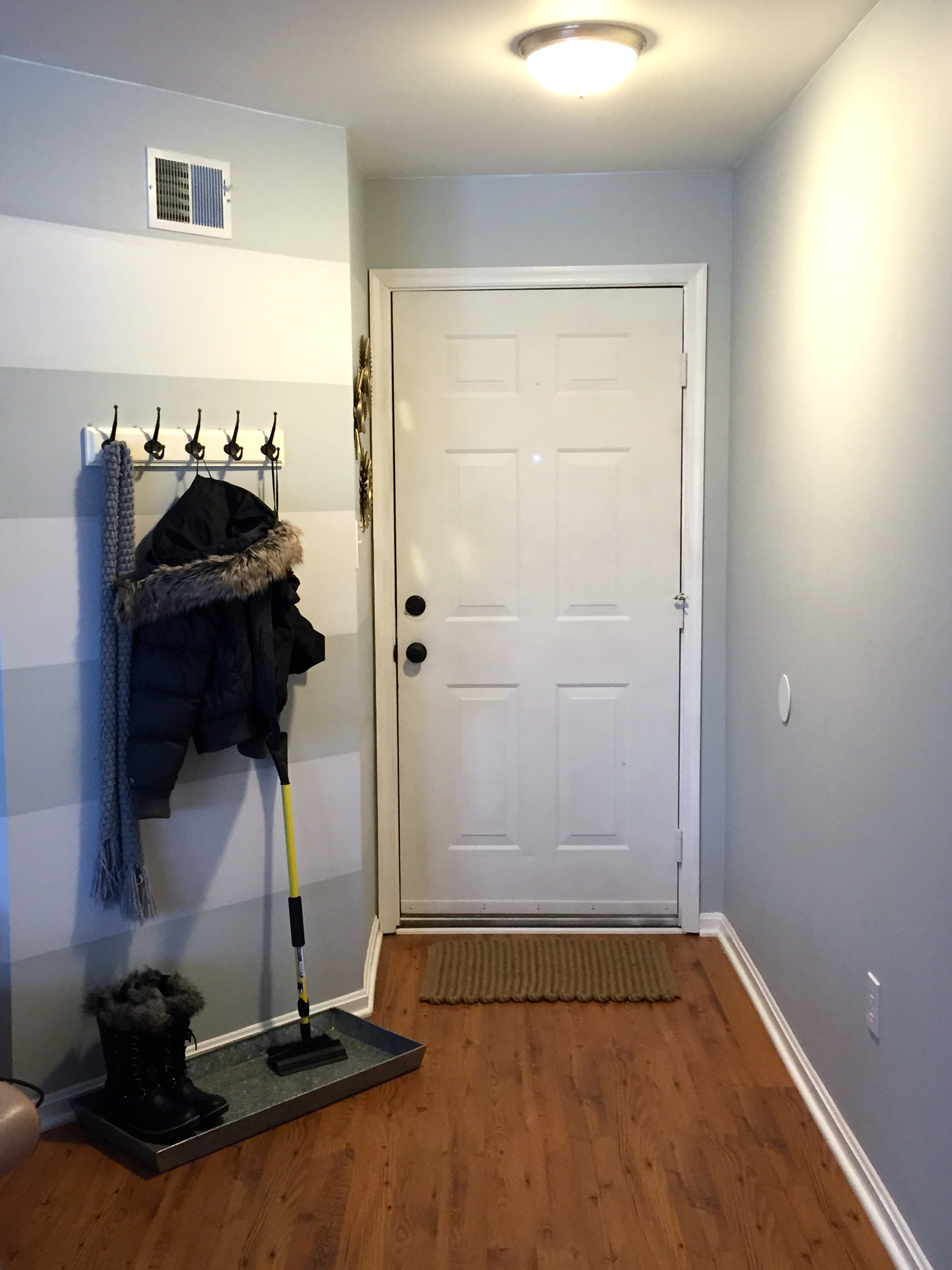
Next on the list was a set of wall hooks and a door mat for the entry way. After a quick trip to Home Depot to get some anchors, the hooks were up. If there was one thing I’m most pleased with, it had to be these hooks. I can’t tell you how much of a difference it’s made in making my space functional. Instead of running all over my condo when I get home to put things away, everything is right at the door in one place. All that’s left for this space is a “Welcome” sign above the hooks, and the Hemnes shoe cabinet on the opposite wall. I’m also toying with the idea of painting the back of the door with the same aqua spray paint I’ll be using on the dining room chandelier.

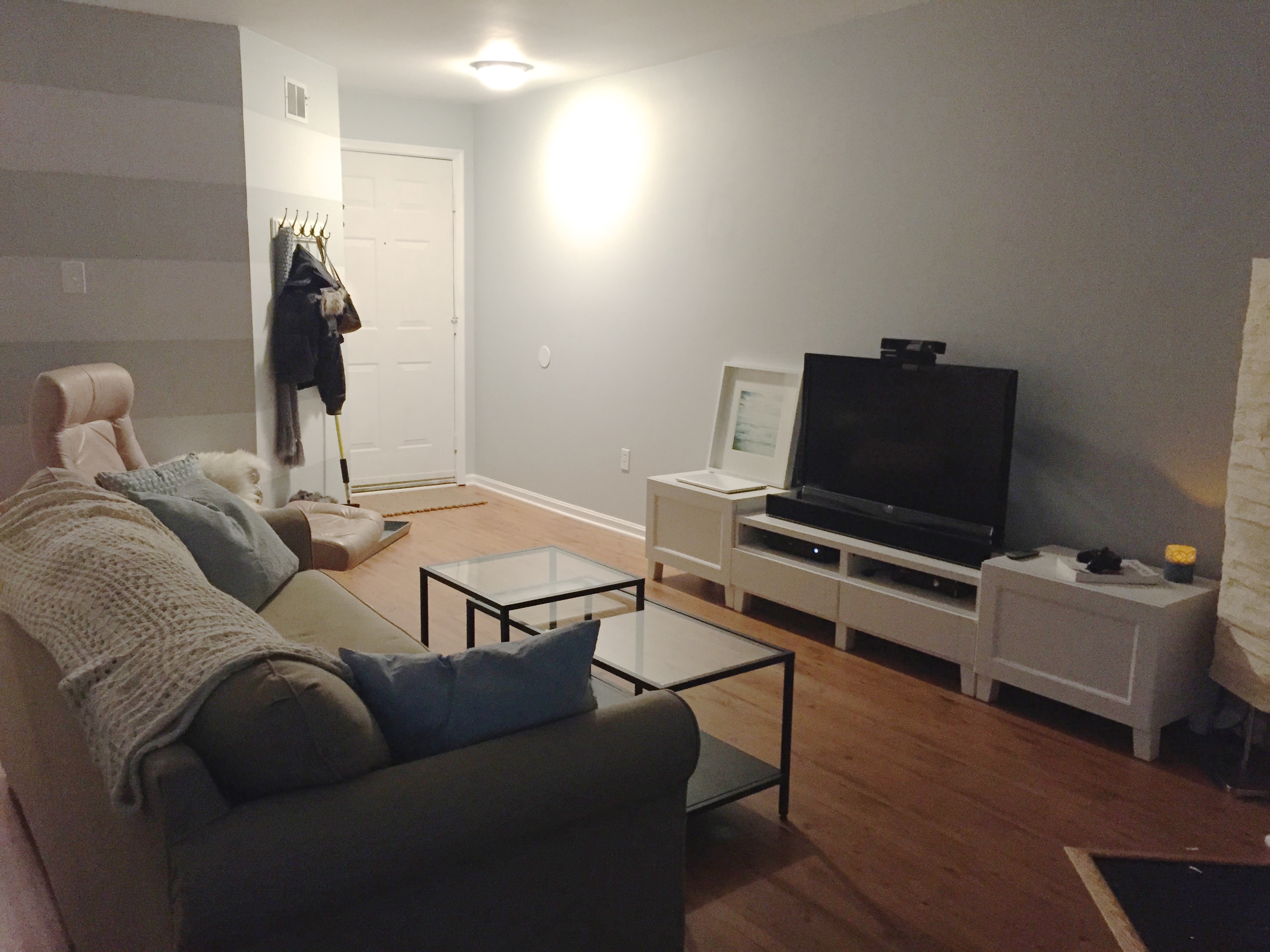
IMG_3895 2Something else I picked up were some feet for my remaining Besta cabinetry. I’d managed to utilize all of the cabinets I originally purchased for the wall unit I designed before I moved out except for one. I figured I could use it in my living room, but I needed one more set of feet for it. After waiting months for any IKEA within driving distance to get them back in stock, I learned that IKEA is likely revamping the Besta line, and they might not come back for a while if at all. I wanted to use the cabinet so I came up with plan B: I’d buy any feet that were in stock and swap them out for two of the back feet from the cabinets in my bedroom which you never see. It turned out to be a great plan, and the cabinet went together.IMG_3899 2There was only one problem. After seeing the cabinet together, I realized I had to get another one to balance it out. Back to IKEA I went for a second trip to get more mismatched feet (these went in the back of the TV stand this time) and a second cabinet. The end result gives me a more storage and ties the room together much better. (In case you’ve noticed the picture that’s floating around in the last two pictures, it will be part of the gallery wall I’m putting together in my bedroom, but I don’t have any place to put it right now.) I’ve ordered two mirrors to hang above the end cabinets which will hopefully brighten the room up.

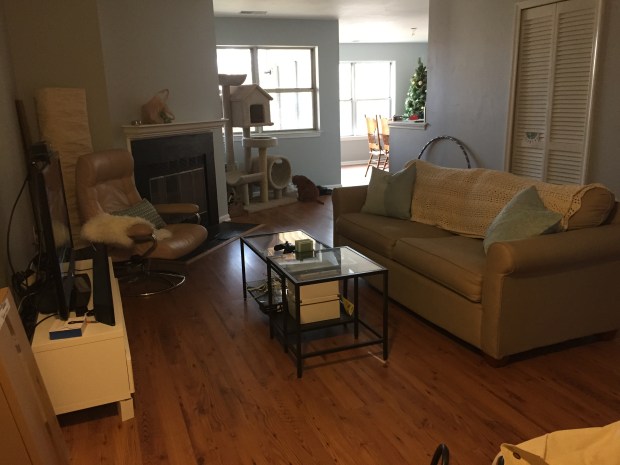
IMG_3901And just for the heck of it, I figured I’d throw in the picture of this room from the listing. I’m still shocked at the transformation.IMG_3896 2Still left on the to-do list for this room:

  • Buy the Hemnes Shoe cabinet
  • A rug
  • Artwork for the fireplace (potential candidate)
  • A larger tv (mounted to the wall)
  • Hanging up the mirrors I ordered
  • Painting the door
  • And some plants and decorative items.

All in all, it’s nice to finally feel like at least one space is nearing completion. My Pinterest board is becoming a reality, little by little.

Andrea


10 Things I Love About Living Alone

One of the things I always regretted was living at home during my college years. I did eventually move out out of my childhood home, but I only lasted 3 months before deciding to move back home. For some reason I thought it was a good idea to move 20 miles away from campus (vs. 4) to live with friends on a part-time, college-employee paycheck. I quickly realized I was wrong. Living with friends rarely works out. I wasn’t prepared for the expenses. I was cooped up in 1 tiny room with 2 cats, and I definitely didn’t enjoy the long commute.

When it came time to move out a second time, naturally, I was terrified. I bought a home, so this time there was no turning back like before. It was also the first time I was truly living on my own, so everything was up to me.

This week is the 3-month mark of living on my own (the same amount of time I lasted when I moved out the first time), and today it occurred to me that I actually have no desire to move back home. To celebrate, I thought I’d include 10 reasons I enjoy living alone.

  1. No one tells me when to clean my house. – I certainly don’t live in a pigsty, but some days my house is defintely cleaner than others. Either way it doesn’t matter because if I choose to sit on the sofa and watch Netflix while letting my dishes pile up on the coffee table, that’s my choice.
  2. I can choose my own schedule. – If I’m tired at 4PM. I can sleep without someone worrying that I’m sick, and if I’m wide awake at 3AM, I can make myself food and watch TV in the living room without worrying about disturbing anyone.
  3. Sweatpants or no pants, it doesn’t matter. – It’s Winter right now, and quite chilly in my condo, so truthfully, there’s not much “no-pants-ing” happening, but if there was, it wouldn’t matter. I can wear whatever I want all day, and no one judges me.
  4. I save money on make-up. – I’m one of those people who wears at least a little make-up whenever I’m with other people. My skin is not perfect, and I like to at least look presentable in front of people, but now that I live alone, there are truly days where no one is seeing me. If I’m not going out, it might be 7PM when I finally discover that I’ve had raccoon eyes from remnants of yesterday’s mascara because I’ve not looked in the mirror all day.
  5. I can have anyone over whenever I want. – Sure, my mom said I could invite anyone I wanted over her house, but I never felt comfortable doing it. I spent most of my time in my room which was essentially a studio apartment. Bringing a guy friend over immediately created a sense of awkwardness even if we were just watching TV because it was my bedroom and of course boys weren’t allowed when I was younger.
  6. I can eat whatever I want. – If I decide to make myself a grilled cheese 9AM or have cupcakes for dinner, that’s my decision. I still try my best to have a real dinner before I eat dessert most nights though.
  7. Every decorating decision is mine, and mine alone. – Interior design has always been a passion of mine. I’m no expert, but I certainly enjoy seeing my Pinterest boards turn into reality little by little, and when it’s all done I know that it was 100% my vision.
  8. I can do laundry whenever I want. – Since I started doing my own laundry in high school, I’ve done laundry on Sundays. Sadly no one else in my house had any sort of schedule, and as more people moved in, I found myself having to wait for everyone else to finish their laundry before I could start mine. Sunday laundry turned into Sunday at 11PM laundry. Now that I live alone, I know the only time there’s ever going to be laundry left in the dryer is because I didn’t empty it from last time.
  9. No noisy, interrupting roomates or relatives to worry about. – I’m an introvert, so I love my quiet, alone time which is nonexistent when you have a house full of people. Now I can watch a show and not be interrupted by someone wanting to start a conversation with me or study in complete silence in the middle of the day.
  10. I can be weird without being judged. – If for some odd reason, I decide to turn my life into a musical for an hour, dance around the living room to 90s music, or race my cats down the hallway in socks, no one will ever know. (Tip: Don’t race your cats down the hallway in socks. You will probably slip, fall, and of course, because you live alone, no one will ever know.)

Moving out has been fantastic. Any fears I had were primarily about what other people were going to think: What if I became a crazy cat lady or a hermit? What if people thought I was weird for not going out all the time? What if my condo was a mess? Well guess what?! It’s my condo, and no one is there to judge me anyway. Who cares?!

Andrea

Condo Project – The Past Two Months

My how time flies. Apparently it’s already been two months since I last left you with any sort of update on the condo. By my calculations we’re approaching the 22 week mark of when I first started on this journey which is simply scary to me. That also means I’ve been a homeowner for nearly 5 months at this point!

When I wrote my last post about the condo, I was in a state of dismay. It seemed like every day something new was breaking, and if I wasn’t already at the condo, I was rushing back to it hoping the place wasn’t falling apart. I basically spent the first month questioning what I had gotten myself into and wishing I had decided to buy a a place rather than just rent. For now, *fingers crossed*, things have finally stopped breaking, at least on a daily basis, and I’ve been able to spend the past 2 months getting things livable. I’m naturally interested in finding efficient, organized solutions, so every day I find a new thing to tweak or fix. Nothing like actually living in a house to find out all its quirks.

The Living Room

One of the first things I did after moving in was pick up some necessities from IKEA. Most of what I bought were odds and ends for the kitchen, but I picked up some throw pillows and a sheepskin for the pink chair in attempts to pull the room together. Since taking this picture way back in December (Note: the Christmas tree…) I’ve moved the pink chair to the other side of the sofa, which has made it everyone’s favorite chair now that you can actually see the TV from it.

There’s still a ton on the list for this room:

  • Find artwork. The blank walls are driving me insane much faster than I anticipated.
  • Purchase a larger TV. My 42″ TV worked fine in my bedroom, but it looks minuscule in my Living Room. It will eventually be mounted to the wall.
  • Assemble the remaining Besta cabinet for additional TV storage – I have one remaining cabinet from my former bedroom’s wall unit to repurpose, and it will work perfectly next to my TV stand for more storage. I’m just waiting for any nearby IKEA to restock the feet that match what I already have. I already have one set of 2, so I only need one more box. Sadly they’ve been out of stock for months at this point and I’m worried they’ve been discontinued.
  • Up for debate – a rug. While I love the way rugs anchor a room, I don’t love how the catch dust. I’m not sure if I’m willing to give up the ease of sweeping for a rug.

IMG_3731

The Kitchen

The old black dishwasher that started leaking unexpectedly has been replaced with a new white one, and the mice-chewed wiring was replaced for both the garbage disposal and dishwasher. I can’t even begin to describe how excited I was to have a working dishwasher. My nights are no longer spent washing dishes. I did have to buy a lot more dishes and silverware though because I started running out of things before the dishwasher was full. (Worth noting, the day this picture was taken, the dishwasher had just been delivered hence the dishes in the sink still.)
IMG_3735

Another ongoing project is the cabinets. Little by little I’ve been lining them. I was so shocked at how much better the guest bathroom vanity looked lined, I had to snap a picture. Life without cabinet doors and drawer fronts has also been an interesting one, especially with my OCD. I had been planning to wait until the weather warmed up to paint them at my mom’s house, but I gave up and started bringing them back home to paint in the dining room. As of today, I’m happy to report that all drawer fronts except for one that needed to be repaired have been reinstalled. I’ve also started on the cabinet doors. I can’t wait to see what the bathrooms and kitchen look like with all the doors back up and the new hardware installed. It’s no Pinterest worthy dream kitchen, but for the $200 I spent, the before and after will be dramatic.

IMG_3853

IMG_3852IMG_3857


The Entry Way

Thanks to all this winter weather, it didn’t take long for me to realize how much I desperately needed to do something with my entry way. Coming home with wet boots meant taking my shoes off at the door, carrying them to the fireplace (the closest place with tile), then walking back across the room to hang up my coat on a hook I hung on the coat closet door, and dropping my work bag somewhere in the process. And because my unit has a second bathroom where the coat closet would normally be, my unit’s coat closet is actually about 10 feet into the condo around a corner making it useless for storing things I need when heading in or out. So here’s my plan:

  • Hang up hooks on the angled wall by the front door paired with a boot tray so that I can hang my outdoor things up and take my shoes off on the way in. I plan to hang a Welcome sign above this too.
  • On the opposite wall, I’m going to purchase a Hemnes Shoe Cabinet. I don’t necessarily plan to use it for shoes but rather odds and ends like sunglasses or outgoing mail. I may stash the throw blankets that live on my sofa during the winter or when people stay over there too.

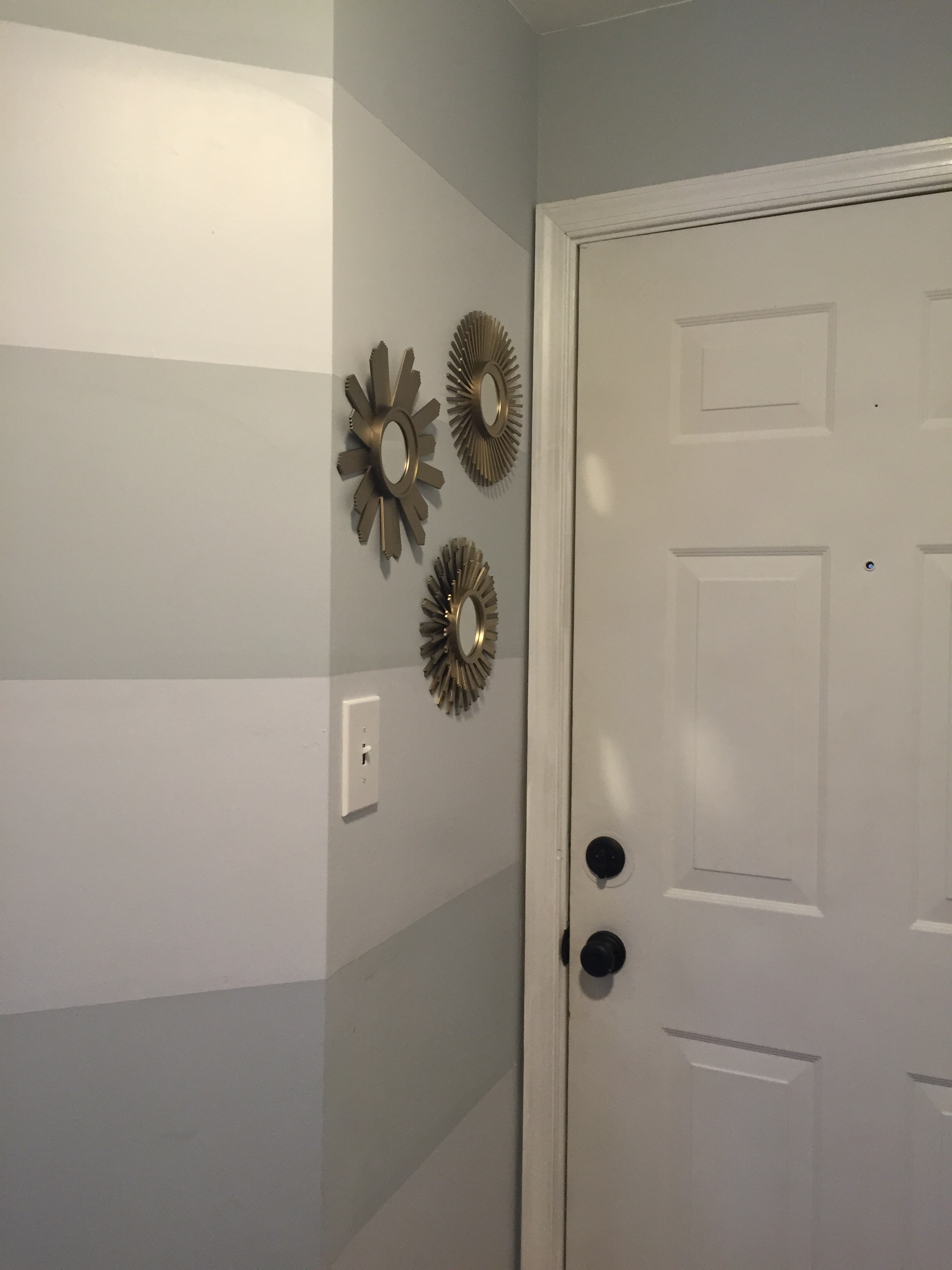
As of today, I’ve added some mirrors to the wall right by the door and a boot tray, both from Target.
IMG_3845


Other updates not pictured:

  • I’ve started repainting the louvered doors for both the utility closet and laundry closet.
  • I repaired the trim that was damaged when bringing the washer and dryer back in.
  • I replaced all of the interior door knobs (all 4 of them) from their mixture of brass and chrome to a satin nickel finish.

And last but not least, the cats have settled in nicely and spent a lot of time lounging around (well at least the boys lounged around). Skyler quickly took to watching the birds out the back windows.IMG_3739IMG_3728


Stay tuned for more updates.

Andrea

{February Topic: Finance} Using ReadyForZero to Pay Off Credit Cards

My most important goal in life right now is paying down my credit card debt. Now, I’ve mentioned in previous posts that I’ve been lucky enough to escape having a car payment and college loans. For that, I’m truly thankful. I can’t imagine having to deal with student loans or car payments on top of what else I owe like most of my friends. However, after graduating, I got a job that paid a fairly decent salary with little to no bills because I lived at home. In short, I made stupid decisions and money burned a hole in my pocket to the point that spending a couple hundred dollars on a Michael Kors bag or new clothes every month became regular purchases for me rather than something I saved up for.

Looking at my transactions in Mint, I somehow managed to rack up nearly $40,000 in transactions on credit cards in about 4 years. To my credit (no pun intended), the balances of those cards never exceeded more than a couple thousand dollars at any given time, but it’s not what the balances were, it’s that I had become comfortable with having balances on them in the first place. I bought whatever I wanted rather than what I needed. Looking back, I cringe at all the interest I’ve paid because I wanted to buy “stuff.” Even more cringeworthy is that most of that “stuff” I bought I probably don’t even use or have anymore.

Now that I’m trying to be a “responsible” homeowner, and am solely responsible for all the bills, I have no choice but to be mindful of my spending. The first step of that involves getting out of my habit of relying on credit cards.

On a regular basis, I keep three cards in my wallet:
My debit card, which gets used for most purchases.
A low interest credit card for routine bills, which I pay for at the end of each month. While I work to get my savings back in order, emergency expenses like the dishwasher I had to replace are also going on this card. (My goal is to build my savings back up so that these expenses can be paid for up front.)
Another credit card from a different vendor just in case they don’t accept the other cards I have since both my other cards are the same.

Unfortunately for me, that very last card, with the highest interest rate, is the one carrying the highest balance at the moment making it my first priority in my payoff plan, which brings me to a service I recently stumbled upon called Ready For Zero that makes putting a payoff plan together a piece of cake.

Like Mint, it’ll ask you to connect your accounts. From there, you tell it what you’re able to pay each month toward your credit card balances. With that amount, Ready for Zero will factor in your minimum payments and interest rates and tell you how much you should pay toward each account each month. However, it doesn’t stop there. Ready for Zero can estimate when you’ll be debt free and even plots out your payments on a graph. I like graphs so this is something I really enjoy.

My favorite feature, by far, has been seeing how much I pay in interest daily because of the balances I’m carrying. It’s a simple number that people don’t pay much attention to most likely because it’s often buried away. Watching that amount decrease with every payment triggers a little celebration in my head, and when it goes up, I actually feel it. It may be only a dollar or two, but that’s money each day I would have rather spent on something else.

Oh, by the way did I mention ReadyforZero is free? If you’re looking for an easy way to visually help you pay off your credit cards, this is fantastic. Definitely check it out.

Until next time,

Andrea

{February Topic: Finance} Keeping Track of My Money with Mint

For February, I’m going to be focusing on finances.

For getting an incredible overview of my finances, I turn to Mint. By connecting all various bank accounts, credit cards, my mortgage, and even some manually updated loans like the one for my orthodontic work, I can quickly see where my money is going.

Mint has a quite a few features that make it worthwhile for me:

1. Creating a Budget – Because Mint has access to every transaction across my accounts, it can not only tell how much money I have coming in each month, but also what I’m spending. Because of this, Mint already had a pretty good idea of what my monthly spending looked like. I just needed to make a few adjustments to get my spending in alignment with my financial goals. After the initial set up, Mint takes care of the rest with minimal effort on my part. Occasionally a transaction will get categorized incorrectly and I’ll need to adjust it, or my mortgage payment will be processed a day or two early causing it to look like I’ve exceeded my mortgage spending. A feature I’ve been enjoying lately is the ability to set up spending categories to rollover to the next month or span across multiple months which I find useful for things like groceries or gas where I tend to spend more or less depending on my plans. Mint really makes it easy to see how much income you have, how much you’ve budgeted, and what’s left over. They even suggest ways to use that left over money like paying off credit cards or reaching your goals sooner.

2. Notifications – The obvious use case for notifications would be if I’m coming close to or have exceeded a spending category on my budget. I love Mint for this alone, but it also notifies me of large transactions or when my spending is abnormal. These notifications has saved my butt on more than one occasion, like when a disgruntled JCPenney support rep charged my credit card without authorization or the morning I woke up to find that my credit card had been used to pay for someone else’s several thousand dollar college tuition balance.

3. Graphs – I’m a sucker for graphs, and Mint has graphs for everything. Given that I’m focused on paying off my remaining debt, the two I use most are Debts Over Time and Net Worth Over Time. Watching the debt fall and the line on my Net Worth gradually increase is beyond satisfying, and Income Over Time is nice way to jog my memory as well. Since I’ve been tracking things with Mint for so long, I can literally see each promotion I’ve ever received on a graph.

4. Available Wherever I’m At – None of this would be useful if I couldn’t access it whenever I needed to. Whether I want to quickly check my accounts from my phone using their mobile app, get a quick notification using their desktop app, or view everything online, Mint makes it super easy to get the information I need wherever I’m at.

The one feature I’d love to have in Mint that actually worked as intended is their Goals tab where you can select a goal like paying off debt or saving for an emergency. The idea is that Mint helps you plan these things out and tracks your progress. Sadly, my Pay Off Credit Card Debt goal has never worked quite right despite reaching out to Mint.

In my next post, I’ll discuss what I’m using instead of Mint to help with paying back my credit card debt. Stay tuned.

Signature Update

Developing my [Miracle] Morning Routine

While I wish I could say 2014 ended on a high note, I can’t. It ended awfully, but, what came next was definitely something much better. I was really questioning what I wanted out of life to the point I was considering some pretty radical changes to my life. Knowing I needed a change, I decided to re-read one of my go-to books, The The Miracle Morning by Hal Elrod. Part of me still thinks the ideas are crazy, but I also know I always feel better when I do a Miracle Morning, and this time around is no exception – partly because I truly committed to implementing the couple extra steps I wasn’t doing already, but mostly because I really took the time to figure out what I wanted in life.

So what does a weekday morning look like for me?

I wake up at 6:15AM. I may not always be morning person (espescially during these cold winter months), but I’ve also never been much of a snoozer. Nevertheless, I’ve always kept my alarm clock away from my bed, so I have no choice but to get up to shut it off. Another of my tricks has been to set my thermostat to increase a couple degrees right around the time I wake up which makes leaving my warm bed for the cold a little more bearable. My bedroom lights are even set to turn on automatically at 6:15AM when I wake up thanks to a Wemo switch.. Simply shutting off both my alarm, which requires getting out of bed, and turning off the lights, which requires my phone, are usually enough of a hassle that I just decide to get up.

After a quick trip to the bathroom, I make my way into the living room for a quick 7 minute workout. I’ve been using the Seven app which is pretty standard as far as 7 minute workouts go, but it comes with a few extra features including some wonderful graphs as well as achievements along with looking better than most of the apps I’ve tried.

After my quick workout, I make my way back to the bathroom where I hop in the shower and get myself ready for the day. I typically listen to various podcasts while getting ready. My closets happen to be right outside of my bathroom so after I’m done with my hair and makeup, I have no choice but to walk through them to leave which is pretty convenient. Since everything’s within arm’s reach, I tend to get dressed right in my closet area. If I actually prepared for the week properly by picking out my clothes for the week Sunday night as I put my laundry away, I’ll have an outfit set out ready to go hanging on an over the door hook. If not, I’ll throw something together quickly. I tend to gravitate towards a blouse, cardigan, and black pants most days (my uniform of sorts) and only change up my shoes so this doesn’t take too long, but I still prefer to have my clothes laid out already though.

Once dressed, I’ll head to the kitchen to get my lunch and coffee made. Here’s where prep comes into play again. If I was proactive the night before, I’ll have most of my lunch already packed with the exception of anything cold as well as my Keurig ready to go so I only need to add creamer and press a button. With most everything prepped already, it takes me maybe 5 minutes to get my cup of coffee, refill my water bottle for the day, and finish packing my lunch.

Side note: I’m a fairly simple (cheap, and somewhat lazy) person, so on Sunday night, I’ll typically make a batch of peanut butter and jelly sandwiches for the week and just throw them in the freezer – essentially a homemade Uncrustable. In the morning, I just pull one out of the freezer and throw it in my lunch bag, and I’m done.

Exercised, dressed, and lunch fully packed, if I’m hungry I might grab something to eat and then I read over my daily affirmations. Admittedly, this was something I balked at when first reading The Miracle Morning, but it actually helps. Throughout the day, I even find bits and pieces of them popping into my head reminding me to live in line with my goals.

After reading affirmations, I’ll grab my lunch, coffee, and water from the kitchen and make my way to the living room where I spend 5-10 minutes meditating. This was another thing I skipped my first time with The Miracle Morning, but something clicked in me this time around, and I decided being so tense, on-edge, and frustrated with life was just no way to live. Meditation has helped me take a step back, breathe, and enjoy life.

By this point in the morning, I’ve made it to the living room along with everything I need for the day, and it’s time to head out the door (which happens to be right off the living room – how convenient).

After the longest of commutes – a whole 5 minutes 🙂 – I end up getting to work early enough to spend a few moments planning my day. I start by pulling up Omnifocus to decide what I’ll be doing for the day. After figuring out what I’m going to do, I open up Day One where I do my morning journal reflection which is where I make a quick note of what I plan to do for the day, how I’m going to do it, and how the morning went. Then it’s time to start working.

All in all, I may not necessarily do a complete Miracle Morning each day. Some days I shave time off some of the components, and certainly don’t do them in order, but implementing them has worked wonders for me so far to the point that I enjoy waking up each day. I even found myself singing to myself the other morning like my life was a musical which was a bit scary to say the least. Hopefully, no one heard me.

In summary, these are my Life S.A.V.E.R.S., the term Hal Elrod gives to the components of The Miracle Morning:

  • Silence (Meditation) done before leaving each morning
  • Affirmations and Visualization done after I make my lunch.
  • Exercise, my 7-Minute Workout done as soon as I wake up.
  • Reading is done in the form of podcasts but I do actually read before bed each night.
  • Scribing (Journaling) is done in Day One right before I start my day.

If you haven’t read Hal Elrod’s Miracle Morning, I highly recommend it. Even incorporating just a few of these items into your morning are sure to make a difference.

Signature Update

{January Topic: Journaling} My Journaling Routine

I’m not one to long form journal about my life. I tend to capture all the silly, sporadic events that happen each day through some combination of posts on Facebook, Instagram, and Twitter. Most of these posts are pulled into Day One, my journalling app of choice, automatically with the use of Giftttdy. The things that aren’t automatically fed in are focused on personal reflection.

Each morning (or at least weekday mornings) I try to reflect on the morning went. With the help of TextExpander, I can quickly pull up Day One on my Mac, type my snippet (.morning) to fill in a template, and jot down some thoughts. The template includes questions things like what I hope to accomplish for the day, how I’m going to do it, more importantly why I’m doing it as well as things like how I slept, how I felt when I woke up, and whether or not something happened to throw my morning routine off. Occasionally, I’ll also jot down some random thoughts about what’s on my mind too. Reflecting on my morning is something new for me, so I’m still tweaking my actual format, but in general, it’s a nice way to start the day. It also forces me to not only see what I need to do for the day, but really determine why I’m doing it and how I’ll get it done.

Before bed, I usually open Day One on my phone, and thanks to another TextExpander snippet (.grateful), I get a nice little template for jotting down 3 things I’m grateful for, what I accomplished, one thing I could improve, and what I learned. Recording three things I’m grateful for each day has forced me to really appreciate everything in my life. Even on my worst days, I can still find something that made me smile.

So that’s all folks – why I journal, what I use (and have used in the past), and how I journal (today’s post).

I’d love to hear how you journal or any tips you might have to share.

Signature Update